
The SmartHome Co. · FAQ
Getting started.
Your project, your property, and the next step.
What areas does The SmartHome Co. serve?
We serve Metro Atlanta and surrounding communities, including Marietta, Atlanta, Dallas, Sandy Springs, Decatur, Woodstock, Roswell, Smyrna, Fayetteville, Kennesaw, Dunwoody, Alpharetta, Peachtree City, Stone Mountain, Tucker, Johns Creek, Milton, and nearby areas.
What happens during an initial consultation?
Many projects can start with a phone, text, email, or virtual conversation so we can understand your goals before recommending equipment. More involved smart home, networking, security, or A/V projects may require an on-site assessment before we provide a final proposal.
How soon can you schedule my installation?
Scheduling depends on project size, equipment availability, site conditions, and our current workload. Smaller projects can often be scheduled sooner, while larger UniFi, security, cabling, smart home, or A/V projects usually require additional planning and procurement.
What services does The SmartHome Co. provide?
We design and integrate UniFi networks, security cameras, access control, Sonos audio, Ring cameras and doorbells, Lutron lighting and shades, AVA control, smart home systems, structured cabling, and A/V solutions for homes and small businesses.
How do I get started?
Call or text 470-696-4942, email info@thesmarthomeco.com, or reach out through the website. We will review your goals, ask about the property, recommend the right next step, and explain what is needed before installation.
Can you install equipment I purchased myself?
For new installations, we supply the equipment as part of the approved project. We do not take on new installations of client-supplied equipment. If you already have a system installed, we can assess it for troubleshooting, upgrades, or integration.
The SmartHome Co. · FAQ
UniFi questions.
Networking, Wi-Fi, cameras, and access control for Metro Atlanta homes and businesses.
Do you install and integrate UniFi systems in Atlanta and Marietta?
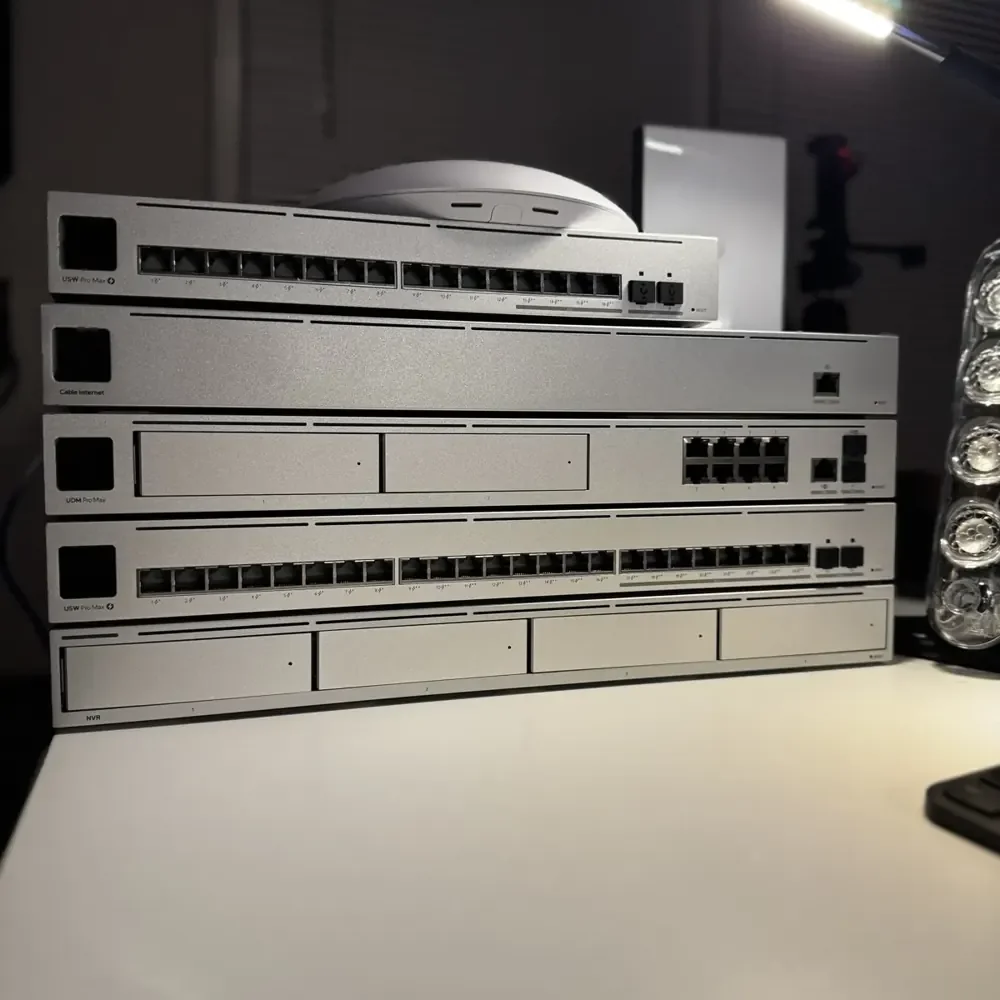
Yes. The SmartHome Co. is a Marietta-based technology integrator serving homes and small businesses across Metro Atlanta. We design and install UniFi Network, Protect, and Access systems, with the cabling, configuration, testing, and user walkthrough defined in your proposal. We can also assess an existing UniFi system for upgrades or troubleshooting.
How much does UniFi installation cost in Metro Atlanta?
The cost depends on the network design and the work needed to install it. Access points, gateway and switch capacity, cable routes, camera storage, and any door-access hardware all affect the proposal. We review your property and existing equipment, then define the hardware, installation, configuration, and testing included in your project.
How many UniFi access points does my home need?
Square footage alone cannot determine the right number. Floors, wall materials, device locations, mounting positions, and outdoor coverage all matter. We use the floor plan and a review of the property to plan placement, then check coverage after installation. Adding more access points without a design can create interference instead of solving weak coverage.
Is UniFi better than a mesh Wi-Fi system?
UniFi can be a good fit when you need wired access points, more control over the network, or room to expand. A well-placed mesh system may be sufficient for a simpler space. UniFi also supports wireless meshing, but wired connections between access points and the network are generally preferable when cable routes are practical.
Do I still need AT&T, Xfinity, Google Fiber, or another internet provider?
Yes. UniFi manages the network inside your property; it does not replace your internet service. We review the provider equipment and connection requirements before deciding what stays in place and how the UniFi gateway connects. Better Wi-Fi coverage also cannot increase the speed of the internet plan you purchase.
Does UniFi require a monthly subscription?
The core self-hosted UniFi Network, Protect, and Access applications do not require per-device software licenses. Hardware, internet service, installation, and any paid hosting, optional subscriptions, or support services are separate costs. We identify recurring charges in the proposal so you can compare the full cost of ownership.
Are wired or wireless security cameras better for my property?
Wired PoE cameras are often a good fit for fixed locations where cable routes are practical: Ethernet carries both power and data, so the camera connection does not depend on Wi-Fi coverage. Wi-Fi cameras can suit locations where new cabling is difficult, but still need suitable power and a reliable wireless connection. Recording location and subscription costs depend on the chosen system. We assess your property before recommending either approach.
Will UniFi Protect cameras record if the internet goes out?
A local Protect system can keep recording during an internet outage when its cameras and recorder remain connected on the same local network and have power. Remote viewing may be unavailable. A power outage is different: the cameras, network equipment, and recorder need suitable backup power to keep operating.
How many days of video can UniFi Protect store?
There is no single retention period for every system. Camera count, recording quality, recording mode, available storage, and retention settings determine how much footage is kept. We start with the number of days you want to retain, size the recorder and storage, and review the resulting retention estimate once the cameras are running.
Can you upgrade an existing UniFi system without replacing everything?
Often, some equipment can be retained. We first review the models, software, administrator access, cable condition, available power, and the performance problem you want to solve. That assessment determines what can stay and what needs replacing. Any migration or downtime should be planned before changes begin.
Should I replace Ring cameras with UniFi Protect?
Consider Protect when local recording, wired camera coverage, and an expandable system are priorities. Consider the cable routes, recorder, storage, and installation work as part of the change. Ring may still suit a smaller doorbell or camera project. We compare your actual coverage and recording needs before recommending a platform.
Can UniFi Access work with my existing doors and locks?
Sometimes, but compatibility depends on the door, lock, wiring, power, and entry requirements. A reader alone does not make an existing lock compatible. We review the opening and proposed access hardware, including how people enter and exit, before defining the integration scope and any work needed from other trades.
Can UniFi separate guest Wi-Fi from business or smart home devices?
Yes, a suitable design can separate guests, business equipment, and connected home devices using networks and access rules. Devices that need to discover or control each other still need the correct permissions. We plan those connections and test the intended functions so separation does not accidentally break printing, audio, or other everyday tasks.
Do you install the Cat6 cabling for access points and cameras?
Yes. The SmartHome Co. provides Cat6 cabling as part of scoped networking and camera projects in Marietta and Metro Atlanta. We review cable paths, mounting locations, access conditions, and the equipment they will serve. Your proposal identifies the cable work and any access or finish work that needs separate coordination.
The SmartHome Co. · FAQ
Sonos questions.
Whole-home music, TV sound, outdoor audio, and a system that fits your rooms.
Do you provide Sonos multi-room setup in Atlanta and Marietta?
Yes. The SmartHome Co. integrates Sonos for TV audio, music, and multi-room listening in Marietta and Metro Atlanta. We plan the equipment and network requirements together, configure the agreed rooms, test playback, and show you how to use the installed system.
How much does Sonos installation cost in Metro Atlanta?
Pricing depends on the rooms, speakers, mounting, cable routes, TV connections, and network work involved. A soundbar setup has a different scope from several rooms of in-ceiling audio. We prepare a proposal that separates the selected equipment from installation and configuration, with the agreed setup and testing included.
Can different Sonos rooms play different music or play together?
Yes. Separately configured Sonos rooms can play independently or be grouped to play the same music in sync. For existing ceiling speakers, the amplifier channels and wiring determine which areas can operate independently. We plan the room layout, configure the agreed equipment, and show you how to group rooms and adjust their volume. Music-service account limits can affect simultaneous streams.
Why does my Sonos system keep cutting out or disappearing?
Connection problems can come from wireless interference, weak coverage, or network configuration, but the symptom alone does not identify the cause. We look at which rooms fail, when the problem started, and any recent changes, then assess both the Sonos system and the network before recommending replacement equipment.
Why did Sonos stop working after I changed my router?
A new router, Wi-Fi name, or password can leave Sonos trying to connect to the old network. The reconnection process depends on the products and Sonos app version. We check that combination and the new network settings before reconnecting the system. Avoid factory-resetting every speaker as a first step.
Can older and newer Sonos speakers work together?
Compatibility depends on the exact product generations and the app they support. Some products require S1, some use the current Sonos app, and others support either. Separate S1 and current-app systems cannot be grouped together for synchronized playback. We inventory the models before recommending an expansion or replacement.
Does my TV need HDMI ARC or eARC for a Sonos soundbar?
The required connection depends on the soundbar and the audio format you want. Compatible Sonos Atmos soundbars need HDMI ARC or eARC for Atmos; supported formats also depend on the TV and source device. Some Sonos products support optical connections with different limitations. We check the full signal path before selecting equipment.
Can Sonos use my existing in-ceiling or in-wall speakers?
A Sonos Amp can power compatible passive speakers, but the speaker load and wiring must be suitable. We check the speaker models, condition, cable runs, and how you want the rooms controlled. Existing volume controls and several speaker pairs on one circuit need to be included in that assessment.
Can I have Sonos audio on a patio or by a pool?
Yes, an outdoor audio design can use suitable outdoor speakers with a compatible Sonos Amp located in an appropriate protected space. Speaker placement, wiring, listening coverage, and equipment exposure all affect the design. We review those details instead of assuming indoor equipment is suitable for outdoor use.
Can you install Sonos equipment I bought myself?
For new installations, we supply the equipment as part of the project rather than installing newly purchased client-supplied products. If you already have an installed Sonos system, tell us the models and what you want to change so we can assess whether an upgrade or troubleshooting project is a fit.
The SmartHome Co. · FAQ
Ring questions.
Doorbells and cameras, with practical answers about power, Wi-Fi, and recording.
Do you install Ring doorbells and cameras in Atlanta and Marietta?
Yes. The SmartHome Co. plans and integrates Ring doorbell and camera projects across Marietta and Metro Atlanta. The scope can include suitable mounting, connection checks, app setup, motion settings, and a walkthrough. We define the equipment and installation conditions before work begins; required line-voltage work is handled by a licensed electrical contractor.
How much does Ring doorbell or camera installation cost?
Cost depends on the device, mounting surface and height, available power, Wi-Fi coverage, and setup work. Reusing a suitable location is different from adding a new cable route or correcting a coverage problem. We review those conditions and identify any electrical work that needs a licensed electrical contractor before quoting the project.
Can I add a Ring doorbell without existing doorbell wiring?
A compatible battery-powered model may be an option. A wired design needs a suitable power source and cable route for the specific model. We assess the mounting location, charging expectations, and Wi-Fi signal before recommending an approach. Required line-voltage electrical work is handled by a licensed electrical contractor.
Will my existing transformer and indoor chime work with a Ring doorbell?
That depends on the exact doorbell, transformer, and chime models. Power requirements and chime support differ between Ring products, so existing wiring alone does not confirm compatibility. We check the specifications before selecting the doorbell and identify any power or chime changes needed.
Why does my Ring doorbell or camera keep going offline?
Possible causes include weak Wi-Fi at the device, interference, a changed network, or a power problem. Good signal inside the house does not guarantee good coverage at the front door or exterior wall. We check the connection and power at the installation location before recommending a network or equipment change.
Do I need a Ring subscription to see my cameras?
Standard Live View is available for supported Ring doorbells and cameras without a subscription. Reviewing saved recordings requires an eligible Ring plan. Extra features may have separate device and subscription requirements. We review what you want to view, record, and retain so you can choose the appropriate setup.
Can Ring cameras record continuously, 24/7?
Some eligible Ring cameras can record continuously when they have continuous power, an eligible Ring subscription, and the required 24/7 Recording add-on. Availability depends on the model and current plan terms. We verify eligibility before recommending a system; motion-event recording and continuous recording are different requirements.
Should I choose Ring or UniFi Protect for my property?
Start with the locations you need covered and how you want video recorded. Ring can suit a focused doorbell or camera setup with compatible cloud recording options. UniFi Protect is worth considering when local storage and a planned wired camera system are priorities. We compare cabling, equipment, ongoing costs, and everyday use for your property.
The SmartHome Co. · FAQ
Lutron questions.
Lighting, shades, scenes, and the details that make everyday control feel simple.
Do you provide Lutron lighting control integration in Atlanta and Marietta?
Yes. The SmartHome Co. plans Lutron lighting controls and compatible shade integration for homes in Marietta and Metro Atlanta. We review your existing controls, the rooms you want to improve, and your preferred scenes and schedules before defining the project. Required line-voltage electrical work is handled by a licensed electrical contractor.
How much does Lutron lighting and shade integration cost?
Pricing depends on the platform, controlled circuits, keypads, shades, wiring conditions, and programming. Shade sizes, fabrics, and power options also affect the proposal. We start with the rooms and routines you want to improve, then define the equipment, integration, and any separately coordinated electrical work.
Should I choose Lutron Caséta or RadioRA 3?
Caséta can suit a focused lighting upgrade, while RadioRA 3 offers a broader range of controls and system-design options for more extensive projects. The decision depends on device count, control styles, coverage, shades, and future expansion. We review those requirements before recommending a platform, rather than choosing from the size of the house alone.
Can I use Lutron smart dimmers without a neutral wire?
Some Lutron dimmers do not need a neutral, but that is not true of every model or load type. For example, the standard Diva smart dimmer has different requirements from other controls. We match the device to the lighting load and existing wiring; a licensed electrical contractor handles required line-voltage work.
Why do my LED lights flicker or glow when dimmed or switched off?
The lamp or fixture, driver, dimmer, and load must work together. Incompatible combinations or low-end settings can cause flickering, poor dimming, or a faint glow. We identify the exact products and check compatibility before recommending a control or fixture change. A smart dimmer by itself does not guarantee smooth dimming.
Will Caséta lights still work if the internet goes down?
Local Caséta control uses Lutron Clear Connect rather than Wi-Fi, so an internet outage does not by itself stop local light operation. Power is still required. Remote access and cloud-dependent integrations have separate connectivity requirements, which we review as part of the system design.
Can motorized Lutron shades be added to an existing home?
Often, yes. Window dimensions, mounting surfaces, shade type, and the available power options determine the approach. We assess those conditions and the intended control system before specifying shades. Planning the power and controls early helps avoid choosing a shade that does not fit the intended installation.
Can my lights and shades work together in one scene?
Compatible lights and shades can be organized around routines such as watching a movie or winding down for the evening. The available functions depend on the Lutron platform, devices, and integration method. We confirm those details and agree on what each scene should do before configuring it.
What does your Lutron integration service include?
We define the controls, supported scenes, schedules, configuration, and user walkthrough in the project scope. Any required line-voltage work is coordinated with a licensed electrical contractor. The handoff covers the installed controls and everyday routines so you can use the system confidently.
The SmartHome Co. · FAQ
AVA questions.
A dedicated control experience for compatible entertainment and smart home systems.
How much does an AVA remote and integration project cost?
The total includes the selected remote, any supporting hardware, configuration, and testing. Rooms, device compatibility, hidden equipment, and the routines you want to control determine the scope. We review the equipment list and intended functions before preparing the proposal, including the agreed user walkthrough.
Will AVA work with my TV, receiver, and streaming devices?
Compatibility must be checked by model and supported control method. AVA can use supported network and infrared control, with additional options depending on the hardware. We verify each device and the functions you need before including it in the design.
Can AVA control Sonos and Lutron?
Supported direct control and access through a native app are different capabilities. Having an app on the remote does not automatically make every app function available inside an AVA routine. We check your Sonos and Lutron equipment and confirm exactly how music, lighting, and any scenes will be controlled.
Does every AVA setup need a Nano Brain?
No. Cinema Remote has its own processor and can run AVA OS directly. A Nano Brain may be useful for the project design, including equipment located away from the handheld remote. We select the hardware after reviewing the rooms, equipment locations, and control requirements.
Can AVA replace my Harmony or Control4 remote?
It may be suitable for a defined set of entertainment controls, but replacement is not automatically one-for-one. An existing Control4 remote may depend on a controller, programming, and other integrations. We inventory the functions you use before recommending whether to retain, supplement, or replace the current control setup.
Will an AVA remote fix unreliable Wi-Fi?
No. A remote does not correct weak coverage or an unstable network. Functions that use network control still need reliable communication with the equipment. We review network issues alongside the control design so a new remote is not expected to solve a separate connectivity problem.
Can one AVA button turn on the TV and select the right sound?
An AVA Flow can coordinate supported commands into a routine. What it can do depends on the equipment and available control functions. We agree on the desired sequence, configure it, and test it with your actual system before the handoff.
The SmartHome Co. · FAQ
Smart home & A/V.
Planning, compatibility, and clean installation around the way you live.
What brands and platforms do you work with?
We work with UniFi, Sonos, Ring, Lutron, AVA, and compatible smart home platforms. The right combination depends on your existing devices, preferred controls, network, and the functions you want to use. We confirm specific model compatibility during planning.
Can you integrate equipment I already own?
We can assess an existing installed system to see what can be retained, reconfigured, or upgraded. The review includes compatibility, administrator access, condition, and support status. New installations use equipment supplied as part of our project.
Will smart devices still work if the internet goes down?
Some smart home functions can keep working locally, while cloud-based features may pause until internet service is restored. Proper network design, local control options, battery backup, and cellular backup can improve reliability for homes and businesses that need stronger uptime.
Are smart homes secure from hackers?
Smart home security depends on proper setup. We improve system security through strong passwords, secure network design, device updates, firewall settings, and network separation when appropriate. No connected system is risk-free, but professional configuration reduces common vulnerabilities.
When should I plan technology for a renovation or new build?
Start while the floor plan, electrical layout, and wall access can still be coordinated. Early planning helps identify access point locations, speaker and TV positions, camera views, cable routes, and equipment space before finishes are complete.
Can you hide TV wires and low-voltage cabling?
Yes, when the wall structure and site conditions allow it. We can route low-voltage cabling behind walls, through structured pathways, or through surface-mounted conduit when needed. Drywall repair, painting, electrical work, or structural modifications are handled separately unless included in the approved scope.
Can you mount a TV over a fireplace?
Often, yes. Fireplace installations depend on wall material, stud or masonry structure, heat exposure, power location, wire path, viewing height, and the correct mount. We review these details before confirming the installation plan.
The SmartHome Co. · FAQ
Business technology.
Reliable systems for the spaces where your team and customers connect.
Do you work with small businesses?
Yes. We provide small business technology services for offices, retail spaces, restaurants, studios, and other local organizations. Services can include business Wi-Fi, UniFi networking, security cameras, access control, conference room A/V, displays, audio systems, and technology organization.
Can you separate guest Wi-Fi from business devices?
Yes. For many businesses, we recommend separating guest Wi-Fi from point-of-sale systems, office computers, cameras, access control, and staff devices. This improves security and helps keep business-critical equipment from being affected by guest traffic.
Can you install cameras for a retail store or office?
Yes. We can help plan camera views around entrances, registers, inventory areas, parking areas, service counters, and other key locations. The goal is useful coverage, clean cabling, reliable recording, and easy access from a phone or computer.
Can you help with office moves or technology upgrades?
Yes. We can help with network planning, Wi-Fi, camera placement, access control, TV/display mounting, conference room setup, cabling, and equipment organization during a move, refresh, or expansion.
The SmartHome Co. · FAQ
Payment & support.
Know what to expect before, during, and after your project.
Will you show me how to use the system?
Yes. We provide a basic walkthrough after installation so you understand how to use the system, access apps, manage common features, and know what to do if you need help later.
What kind of warranty do you offer?
Workmanship and warranty terms are outlined in the approved proposal or invoice. Most hardware is covered by the manufacturer’s warranty, and labor coverage depends on the project scope and service agreement.
Do you offer maintenance or support plans?
Support availability and scope depend on the system and your service agreement. Ask us to include the support options for your installation in the proposal, including what is covered, how to request help, and any recurring charges.
Can renters use your services?
Yes. Renters may be able to use non-invasive smart home devices, plug-in equipment, freestanding networking hardware, removable mounts, or devices that can move with them. Installations that modify walls, wiring, doors, or fixtures may require property owner approval.
What payment methods do you accept?
We accept major credit cards, Zelle, cash, and other approved payment methods. Payment schedules, deposits, equipment procurement, and remaining balances are outlined in the approved proposal or invoice.
Still have a question?
Contact usLet’s talk it through.
Share the details of your home, business, or installation.